In 2025, we further enhanced ShareMarketing to deliver smarter automation, deeper integration, and higher execution efficiency. The goal is simple: reduce repetitive work and operational friction—so marketing teams can focus on strategy, creativity, and stronger customer connections.
Below are eight key upgrades designed to support your marketing operations and drive growth in 2026, including how each feature works, the impact you can expect, and where to enable it.
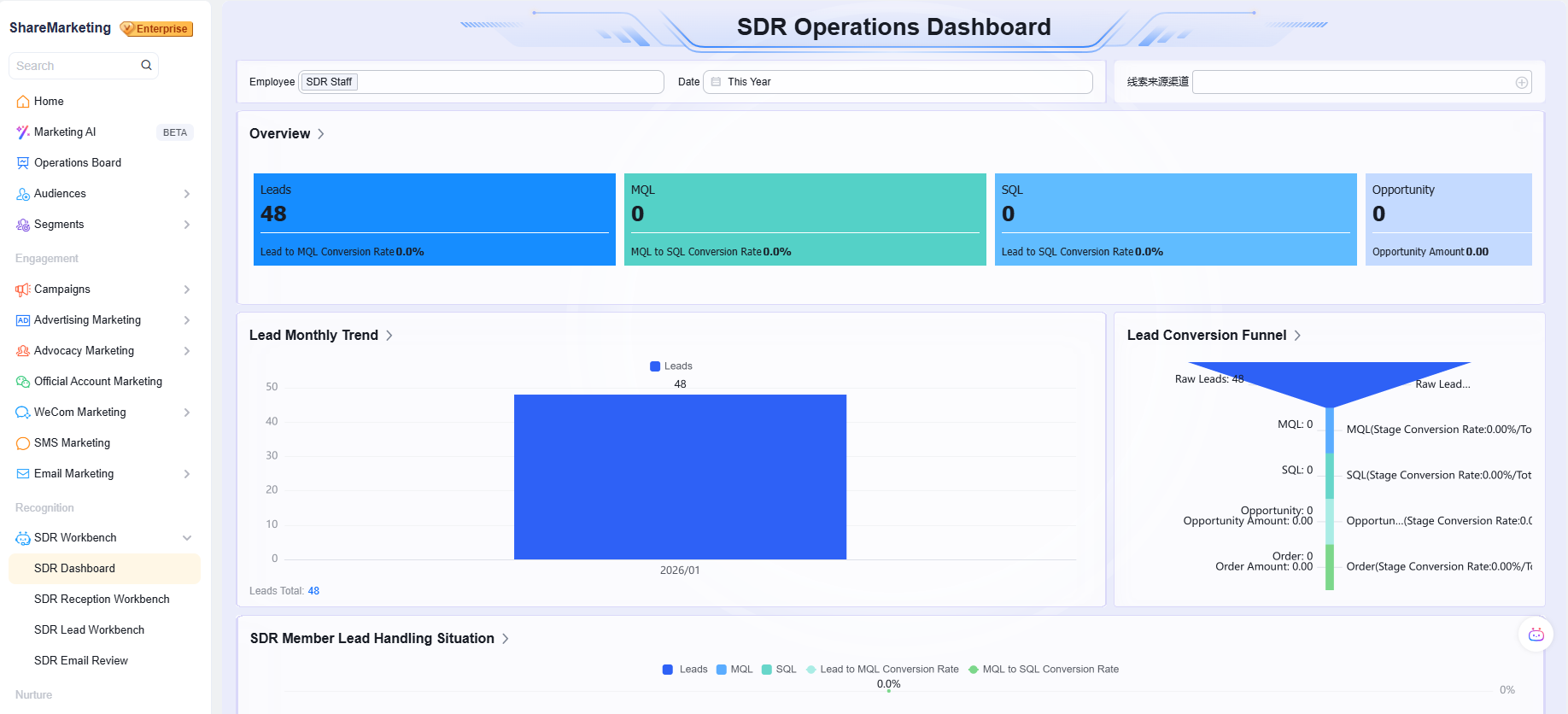
1) Launch: SDR Agent — 24/7 automated qualification and nurturing
The challenge
Website inquiries and event leads often arrive in high volume and mixed quality. Manual SDR follow-up can’t keep pace. Leads get routed too early, and sales rejection rates rise.
What’s new
The AI SDR Agent responds 24/7 to inbound inquiries from channels such as your website and email. It conducts multi-turn conversations to:
- complete lead profiles
- score intent more accurately
- recommend the next-best follow-up approach (including routing)
Impact
Automates lead qualification and nurturing end to end—freeing SDRs from repetitive work so they can focus on high-intent opportunities, improving SDR productivity by 50%+.
How to enable
Available as an add-on with additional cost. Please contact your Customer Manager to activate.
2) Launch: Marketing Agent — instant campaign plans and content
The challenge
Campaign planning is often experience-driven and slow to adapt. Asset production requires cross-team handoffs, extending timelines.
What’s new
Enter your campaign goal and creative brief. The Marketing Agent generates:
- a structured campaign plan (channel strategy + content ideas) based on built-in frameworks
- key assets in seconds—copy, visuals, posters, and landing pages
Impact
Speeds up planning and production—so the team can spend time on creative refinement and strategic depth, not repetitive drafting.
How to enable
Available as a paid add-on. Please contact your Customer Manager to activate.
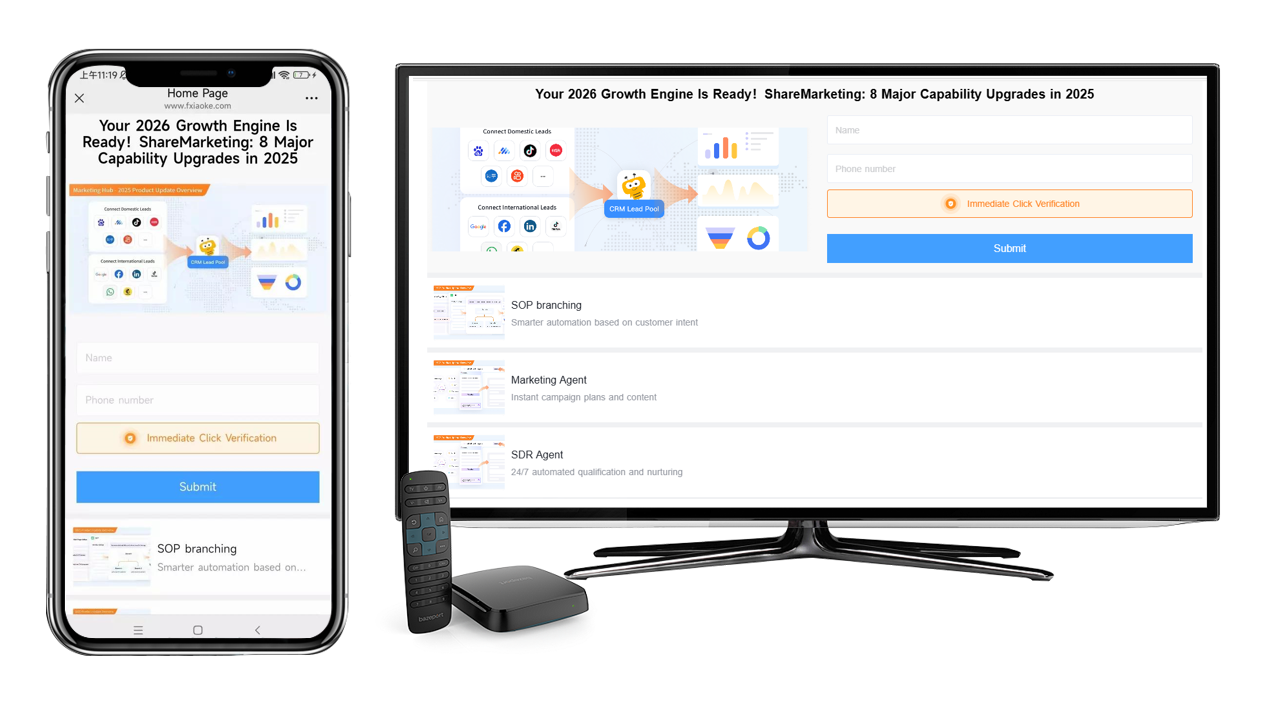
3) Upgrade: Website-quality landing pages with desktop & mobile support
The challenge
Your landing page looks great on mobile, but the desktop layout breaks—hurting brand credibility. Building separate desktop and mobile versions is time-consuming.
What’s new
Landing pages now support grid layouts and desktop customization. You can design with website-level control, and content automatically adapts across screen sizes—from desktop to mobile.
Impact
Build once and publish everywhere with consistent quality—improving production efficiency, strengthening brand presentation, and supporting conversion with a better experience.
How to access
Included in the core product. Go to ShareMarketing → Contents → Landing Page Editor.
4) Upgrade: SOP branching — smarter automation based on customer intent
The challenge
Traditional marketing automation runs on rigid, linear flows. It can’t adapt to real-time customer responses, making engagement feel generic.
What’s new
SOPs now support branching logic. Trigger different next steps based on:
- submitted data
- new tags
- engagement behaviors
Impact
Deliver truly personalized nurturing at scale. Example: after an email to inactive contacts:
- if they re-engage → enter a nurture flow
- if they don’t → automatically trigger an SMS follow-up
This improves engagement and conversion with intent-based automation.
How to access
Included in the core product. Available in SOP settings under ShareMarketing → Campaigns / Website / Email and other modules.
5) Upgrade: Conference marketing workflow view
The challenge
Conference setup is repetitive and hard to standardize. Key configurations across pre/during/post stages are scattered and easy to miss.
What’s new
This upgrade improves how teams plan, launch, and measure events:
- Custom event categories
Define and select sub-types when creating Live or Meeting events—so ROI reporting is automatically tracked by category. - Revamped meeting marketing experience
Adds an event homepage preview during creation and a guided, end-to-end setup view—so new users can onboard faster and reuse proven playbooks. - More bulk actions
Generate series event homepage templates, batch-create multi-channel posters, and assign marketing tasks to employees, partners, and members in one action.
Impact
Improves conference operations efficiency and visibility. Teams move faster, run multiple events with clarity, and measure ROI more consistently.
How to access
Included in the core product. Configure categories and templates in ShareMarketing → Settings → Campaign Settings, and use the upgraded workflow in ShareMarketing → Campaigns → Conferences.
6) Upgrade: Unified China ads view across 9 platforms
The challenge
Ad data across Douyin, Rednote, Tencent, and other platforms is fragmented, making ROI comparisons difficult and budget optimization guesswork.
What’s new
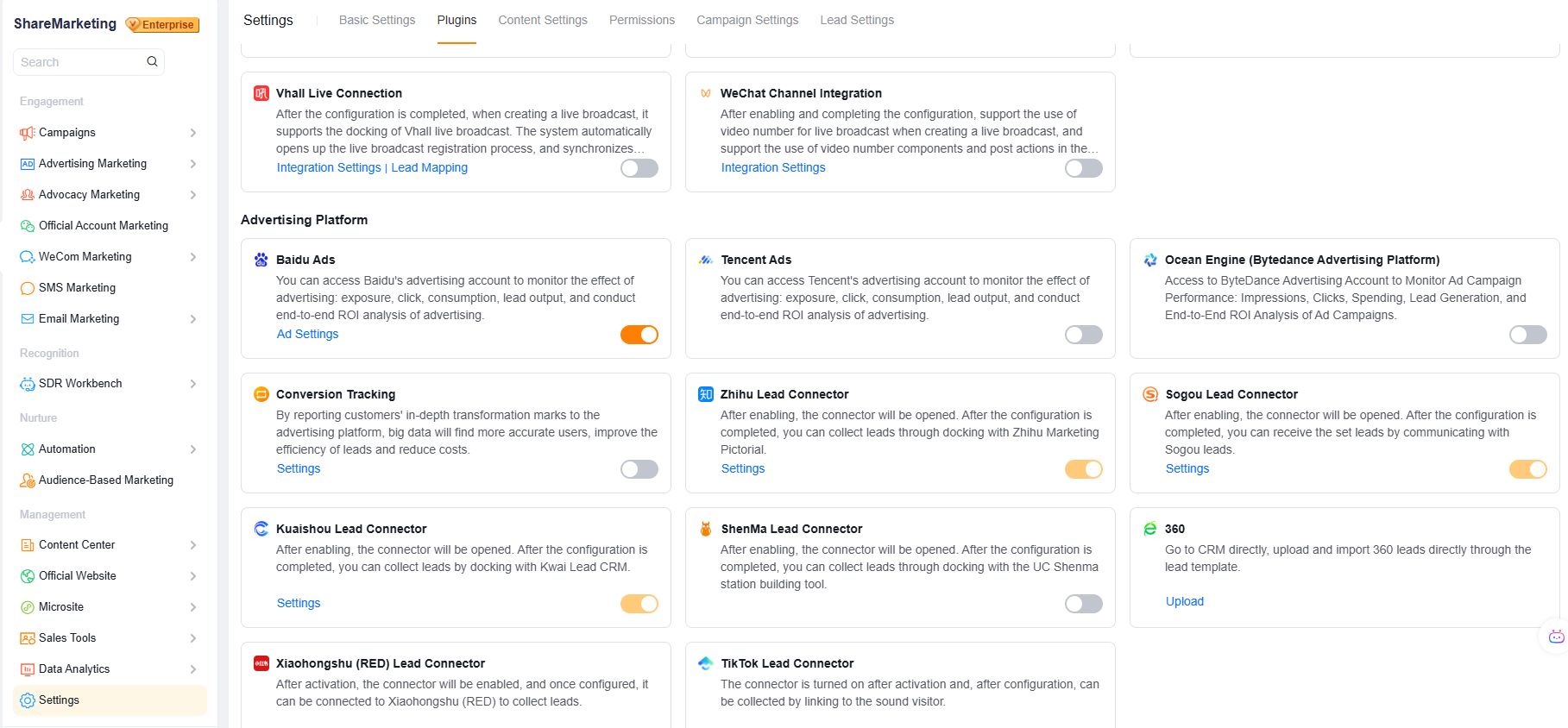
A one-stop integration with 9 major China ad platforms (including Rednote and Douyin Laike). Metrics such as impressions, clicks, spend, and leads are unified—paired with attribution analysis—in one place.
Impact
See cross-platform ROI at a glance, identify high-performing channels faster, and optimize every dollar of ad spend with greater precision.
How to access
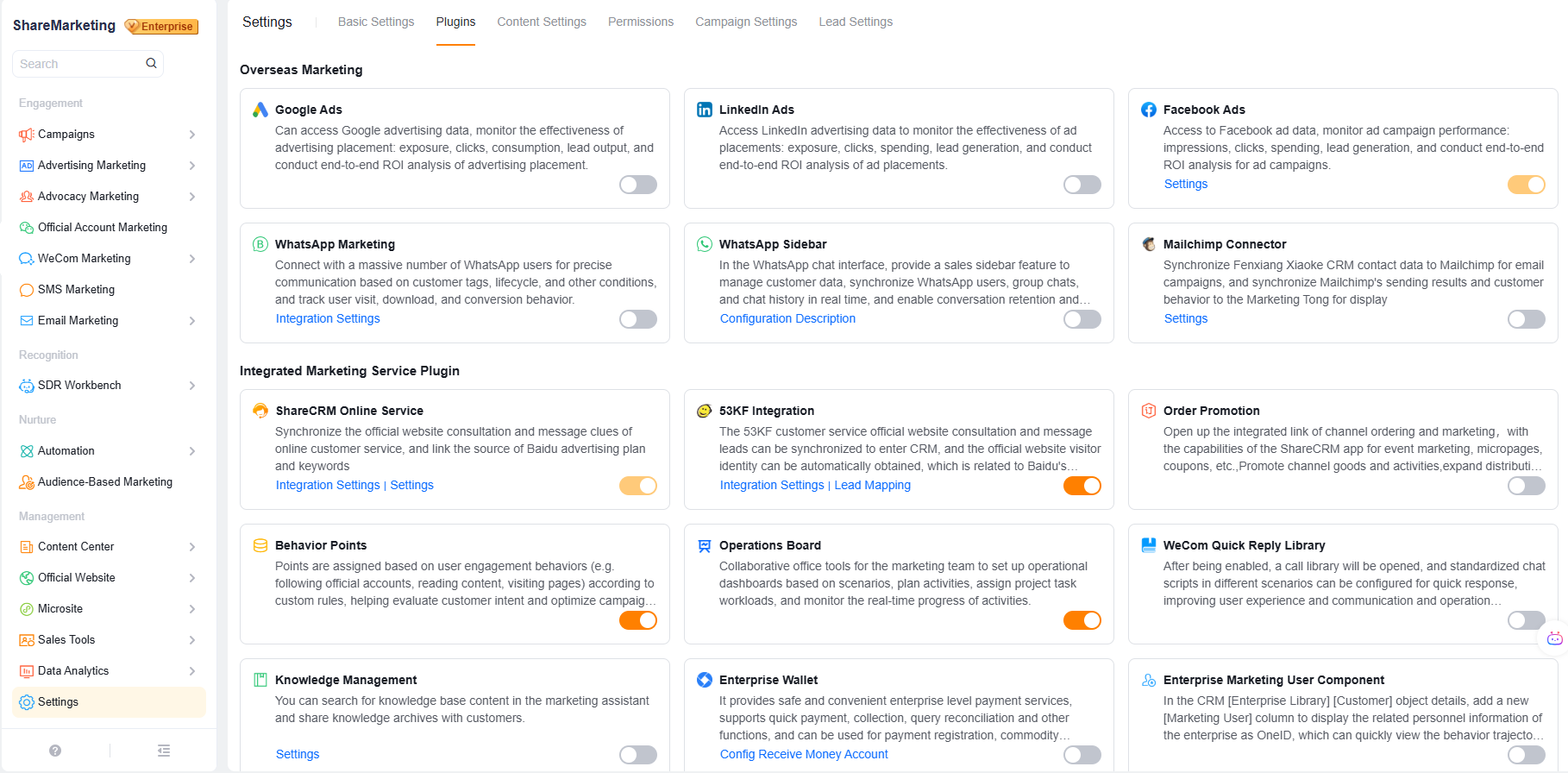
Available via the Ads Marketing plugin. Enable it in ShareMarketing → Settings → Plugins → Advertising Platform.
7) Upgrade: Unified global channel integrations
The challenge
Channel tools and CRM data are often disconnected, fragmenting workflows and increasing the risk of losing leads.
What’s new
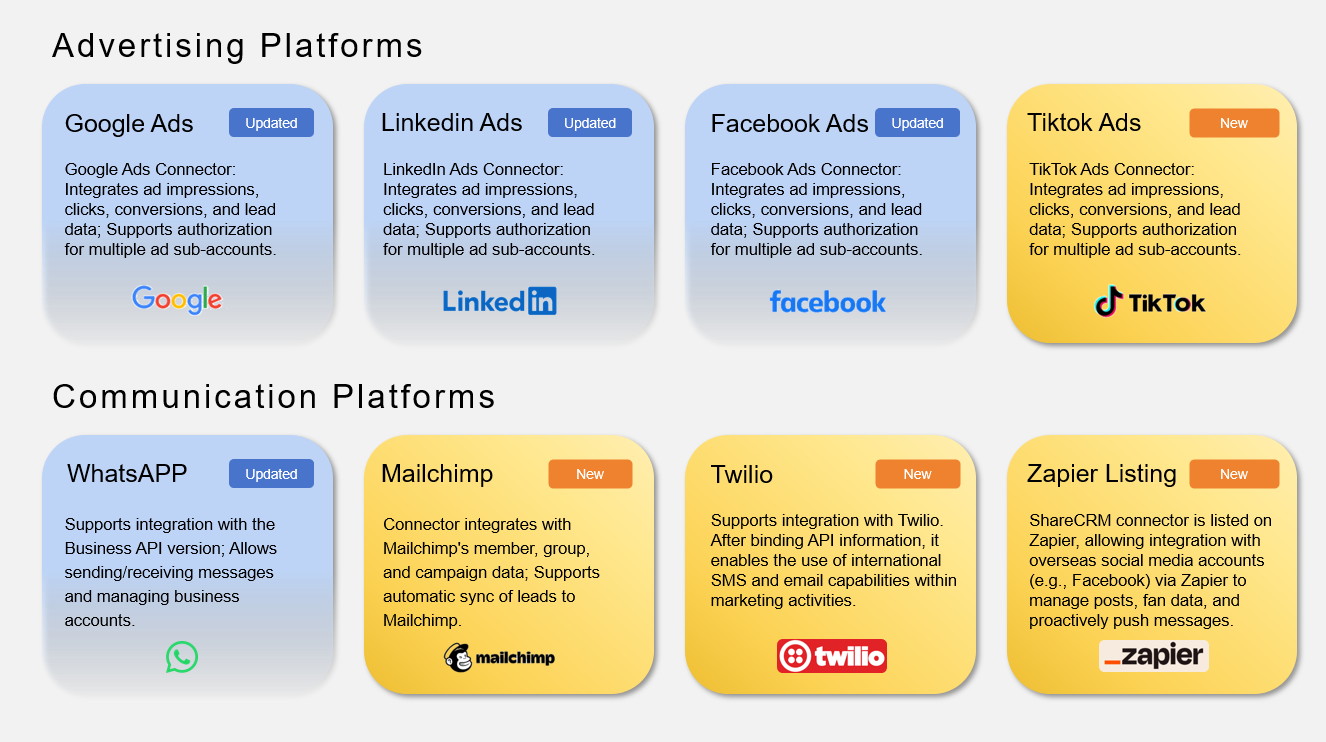
Deeper integrations with major channels such as TikTok Ads, WhatsApp, Mailchimp, and Twilio. Ad performance and engagement data are automatically synced to customer profiles. Teams can also run SMS and email outreach from the platform.
Impact
Manage campaigns across channels in one place—from acquisition to direct follow-up—creating a closed loop that supports scalable growth.
How to access
Available via channel integration plugins. Enable them in ShareMarketing → Settings → Plugins → Overseas Marketing.
8) Launch: Referral & partner marketing network
The challenge
With employees, partners, agents, and members playing different roles, it’s difficult to manage permissions, keep messaging consistent, and track performance.
What’s new
A referral network built for multi-role participation and tracking:
- Referral Marketing accounts can participate via mini program—no CRM login required
- sales reps, distributors, and even customers can share and refer with trackable links
- employees and partners can receive tasks via official account and use a centralized asset library
Impact
Build a manageable, trackable social distribution network—turning every participant into a trusted brand touchpoint and expanding reach at scale.
How to access
Enable the required account types (CRM user, Channel user, Referral Marketing account) and configure the feature. Please contact your Customer Manager for account activation.